I Switched to the Rog Gladius Ii Wireless and Here is What Happened
Category: Electronics
Introduction
After months of using a variety of gaming mice for both competitive play and daily productivity, the reviewer decided to switch to the ROG Gladius II Wireless to test whether a premium wireless mouse could deliver the responsiveness and reliability expected from a high-end wired peripheral. The Gladius II Wireless promises a blend of performance, flexibility, and customization: a PixArt PMW3389 sensor, hot‑swappable Omron switches, multi‑mode connectivity (2.4 GHz, Bluetooth, wired), Aura Sync RGB, and on‑board memory for profiles. This article dissects what happened during real‑world use, examining ergonomics, tracking, latency, battery behavior, software integration, and long‑term comfort for different users.
First Impressions and Build Quality
Out of the box, the Gladius II Wireless presents a familiar, purposeful design: a right‑handed ergonomic shape that accommodates palm and claw grips comfortably. The build quality feels solid without being overly heavy in the hand. The matte plastic finish resists fingerprints and provides a reassuring grip; tactile fit and finish are on par with other premium gaming mice. The detachable braided micro‑USB cable and included travel pouch add to the user experience for those who switch between desktop and laptop frequently.
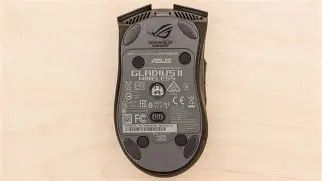
One standout hardware feature is the ROG switch socket system which allows the main left/right Omron switches to be swapped without soldering. For users who play intensively and are concerned about switch longevity or wish to tune click feel, this is a meaningful convenience.
Performance and Sensor Behavior
The Gladius II Wireless uses the PixArt PMW3389 optical sensor, which is widely respected for its precise tracking and low jitter at high speeds. In first‑person shooter sessions and fast‑paced action games, the sensor tracked consistently across mousepad surfaces and delivered predictable cursor behavior. The DPI range (100–16,000) covers casual to pro workflows; most competitive players settle between 400 and 1600 DPI depending on play style.
Latency in 2.4 GHz mode felt comparable to wired operation for subjective aiming tasks, provided the USB dongle is plugged into a non‑obstructed port. Bluetooth mode is useful for productivity and battery conservation but is not recommended for competitive play due to higher latency. Wired mode via the included cable offers a reliable fallback and is convenient for charging during long sessions.
Battery Life and Real‑World Runtime
The Gladius II Wireless pairs an 800 mAh battery with power management options in the Armoury II software. In everyday use the reviewer saw battery life close to the manufacturer’s claims: about a full day of heavy gaming with RGB enabled in 2.4 GHz mode, and considerably longer if lighting was disabled. Using Bluetooth with RGB off extended runtime substantially, making the mouse practical for multi‑day productivity use without frequent charging.
Charging is possible while continuing to use the mouse in wired mode. The cable snaps into place securely but allows quick detachment for transport. For users who forget to charge, the ability to switch to wired mode and continue working or gaming is essential.
Ergonomics and Long‑Session Comfort
The Gladius II Wireless favors right‑handed users with a medium to large palm size. The slope and thumb rest make palm grip comfortable and provide a stable platform for precision aiming. Claw and fingertip grip users will find the shape still workable, though those who prefer ultra‑compact shells may prefer lighter or smaller options.
Find top-rated Electronics products at great prices.
See Deals →Weight (around 124 g) is on the heavier side compared to modern ultralight mice. This extra mass contributes to a sense of solidity and control but may require an adjustment period for players used to very light mice. For users who prioritize quick flicks and minimal inertia, the Gladius II’s weight can be a drawback; for those who prefer measured, controlled movements, it is a benefit.
Buttons, Switches, and Customization
The Gladius II Wireless ships with six programmable buttons: left/right main, scroll click, DPI button, and two side buttons. Armoury II allows remapping, macro creation, and per‑profile DPI staging. The inclusion of on‑board memory means profiles can be stored directly on the mouse — handy for users who switch between multiple PCs where installing software is not desirable.
The hot‑swappable Omron switches are a practical differentiator. The reviewer replaced the main switches with a spare set included in the box; the operation is straightforward and removes the need to send the mouse for service if switches wear out. The click feel is crisp and responsive out of the box, with no noticeable pre‑travel or double‑click issues over months of use.
Software: Armoury II
Armoury II is the central hub for customization. It provides DPI tuning, polling rate choices, RGB control, battery and power options, lift‑off distance adjustments, and macro programming. The software can be deep for users who enjoy granular setting adjustments, but some may find the interface dense. Importantly, on‑board memory ensures custom configurations travel with the mouse even when Armoury II isn’t installed on a client machine.
Real‑World Use Cases
- Competitive FPS: The Gladius II Wireless performs admirably in competitive shooters when used in 2.4 GHz or wired mode. The PMW3389 sensor and stable polling rates are competent for precise aiming. Some pro players who prefer ultralight mice may still opt for lighter alternatives for twitchy flicks.
- MOBA/MMO: Macro support and reliable side buttons make it suitable for MOBA and MMO players who need consistent macro execution and multiple bindings.
- Productivity and Remote Work: Bluetooth mode offers long battery life and convenient multi‑device switching for office tasks, coding, and content creation.
- Travel and Hybrid Work: The detachable cable and included pouch make the Gladius II Wireless practical for carrying between home and work setups.
Comparison
The following comparison table highlights where the Gladius II Wireless stands relative to two other commonly considered premium wireless gaming mice. This is intended to help buyers weigh differences that typically matter: sensor type, weight, connectivity, battery life, and button count.
| Model | Sensor | DPI Range | Weight | Connectivity | Battery Life (typ.) | Programmable Buttons | On‑board Memory |
|---|---|---|---|---|---|---|---|
| ROG Gladius II Wireless | PixArt PMW3389 | 100–16,000 | ~124 g | 2.4 GHz / Bluetooth / Wired | ~24–36 hrs (varies with RGB & mode) | 6 | Yes |
| Logitech G Pro Wireless | HERO sensor | 100–25,600 | ~80 g | 2.4 GHz / Wired | ~40–60 hrs (varies) | 8 | Yes |
| Razer Viper Ultimate | Razer Focus+ / optical | 100–20,000 | ~74 g | 2.4 GHz / Wired | ~50–70 hrs (varies) | 8 | Yes |
Pros & Cons
Pros
- Strong, accurate PMW3389 sensor that delivers reliable tracking for competitive play
- Multi‑mode connectivity (2.4 GHz, Bluetooth, wired) for flexible use cases
- Hot‑swappable main switches — user‑serviceable without soldering
- On‑board memory for profile portability
- Solid build quality and comfortable ergonomic shape for medium/large hands
- Armoury II provides deep customization and RGB sync with other devices
Cons
- Relatively heavy compared with modern ultralight wireless mice — may not suit all competitive players
- Battery life is good but not class‑leading when RGB is enabled
- Armoury II can be overwhelming for users who prefer plug‑and‑play simplicity
- Right‑handed ergonomic design excludes left‑handed users
Buying Guide: What to Consider Before Switching
When evaluating the Gladius II Wireless, buyers typically consider the following factors. This section helps match the mouse’s strengths with user priorities.
1. Grip Style and Hand Size
For palm grip users with medium to large hands, the Gladius II provides a comfortable resting platform. Claw and fingertip grip players should test the shape where possible as the weight and profile may feel different from smaller mice.
2. Weight Preferences
If the user prefers extremely light mice for ultra‑fast flicks, the Gladius II’s ~124 g weight is likely too heavy. However, those who prefer stability and a bit of mass will appreciate the control it affords. Consider whether additional mouse‑skates or glide‑tuning is needed to match personal feel.
Looking for the best Electronics deals on Amazon?
Browse Now →3. Connectivity Needs
Multi‑device users benefit from Bluetooth for convenience and battery longevity. Competitive players who need the lowest latency should opt for 2.4 GHz or wired mode. The included detachable cable ensures zero downtime when recharging.
4. Switch Longevity and Maintainability
The ROG switch socket enables straightforward replacement of the main switches. Buyers who play hard or want the ability to change click feel without soldering will find this appealing.
5. Software and Profiles
Armoury II provides extensive controls from DPI stages to macros and RGB. Users who move between systems frequently will appreciate on‑board memory, but those who dislike vendor software should consider whether they can achieve their needs with minimal configuration.
6. Battery Life Expectations
Consider whether the user will tolerate daily charging in heavy‑use scenarios or prefers a mouse that can go several days between charges. Disabling RGB and using Bluetooth will extend runtime significantly.
7. Price and Value
Compare the Gladius II’s feature set (hot‑swappable switches, multi‑mode connectivity, on‑board profiles) against other wireless mice in the same price tier. The decision often comes down to which specific features—weight, battery, or customization—matter most.
Maintenance and Practical Tips
- Update firmware and Armoury II: Keep firmware current to ensure battery and wireless performance are optimized.
- Use appropriate mousepad surfaces: High‑quality cloth or hard pads will help the PMW3389 deliver its best tracking.
- Rotate switches if needed: If click feel changes over time, replace main switches using the included spares or compatible Omron parts.
- Disable RGB for extended runtime: If battery life is essential, turning off lighting can double available hours in some cases.
- Store profiles on the mouse: If the user frequently moves between machines that lack Armoury II, save preferred settings to on‑board memory.
Final Thoughts and Conclusion
Switching to the ROG Gladius II Wireless produced a clear outcome: it is a flexible, well‑rounded wireless mouse that prioritizes durability and customization over chasing the absolute lightest weight. For gamers and power users who value a high‑quality sensor, user‑serviceable switches, multi‑mode connectivity, and on‑board profiles, the Gladius II is a compelling choice. It excels in reliability and comfort for long sessions, while Armoury II unlocks deep personalization.
However, the Gladius II isn’t the ideal pick for everyone. Those whose top priority is the lowest possible weight for twitchy competitive play may prefer more recent ultralight models. Likewise, left‑handed users must look elsewhere due to the right‑handed shell. For users who prize longevity, maintainability, and feature depth, the ROG Gladius II Wireless stands as a sensible, practical upgrade that delivers satisfying real‑world performance across gaming and productivity scenarios.